SaaS Demo Video Template: the 90-Second Cut That Converts

A SaaS demo video earns its keep in the first five seconds and loses it somewhere around minute two. This is a 90-second cut built for product pages and pre-sales emails: long enough to walk the workflow, short enough that people finish it. Every beat below is written to survive contact with a real product - a price change, a new screenshot, a legal review - without forcing you to start over.
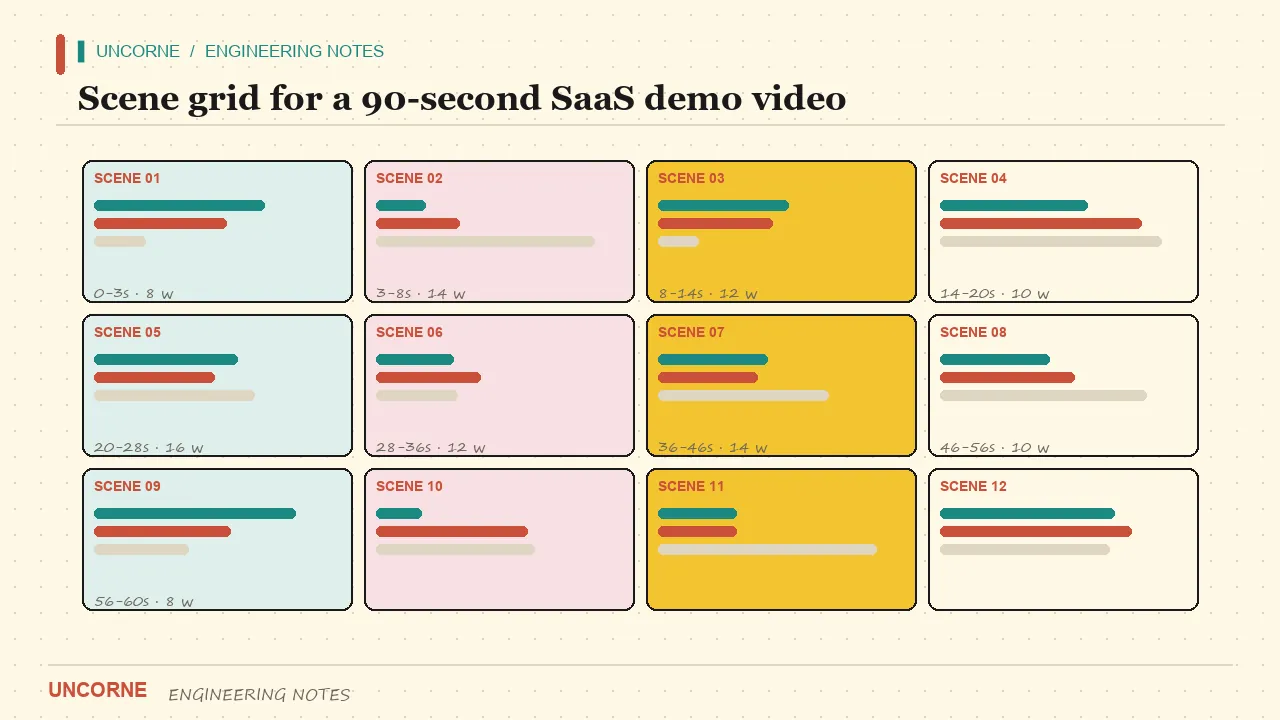
The scene grid
Copy the structure into your doc, fill every beat with your product's truth, and you have the script an agency would quote four figures for. Five beats, ninety seconds, no filler.
- HOOK (0-5s) - one sentence of pain, laid over the ugliest real moment of the problem. Not "Introducing Acme 2.0". Try: "Your pricing page says self-serve. Your checkout says talk to sales." The line works because it describes a moment the viewer has personally lived through, not a feature category.
- CONTEXT (5-20s) - name the workflow being fixed and who runs it. One screen, one sentence. "This is the monthly close, run by a two-person finance team." Skipping this beat is how demos die: the viewer needs to know whose day they are watching before you ask them to care about the fix.
- TOUR (20-60s) - exactly three stops, each ending on a visible before/after. Feature four is feature zero - viewers keep the first three and forget the rest. Land on a state change, never on a menu: a row moves from pending to approved, an invoice goes from draft to sent. A menu is not an outcome.
- PROOF (60-75s) - numbers with units ("reconciliation went from 3 days to 4 hours"), one customer line, or a live-looking query result. A logo wall is a fallback, not proof. If you cannot show a number, show a timestamped action: the clock in the corner of the screen is honest evidence.
- CTA (75-90s) - one action, one button. "Start the 14-day trial" beats "Learn more". Keep the product name on screen while you say it: viewers replay the last frame to remember what they watched. A URL spoken aloud but never printed is a wasted second.
Write it as scenes, not as a paragraph
The difference between a script and a video is the edit tax. If the voiceover is one flat block, every change - a new screenshot, a re-record, a price update - forces a full re-render. Structure the script as numbered scenes, each owning its visual note, its caption text and its voiceover. A change then touches one scene; the rest stay byte-identical.
A practical scene manifest looks like this:
scene 03 | TOUR stop 2
vo:      "Approvals stop living in inboxes."
caption: "One click: pending -> approved"
visual:  screen recording, orders table, 4s
cost:    $0.14 model spend, 1 render
Because the caption, the visual and the voiceover are separate fields, translating this scene means swapping a string and re-rendering four seconds - not re-cutting ninety. The same discipline makes legal review cheap: counsel edits one line, and only that line is regenerated.
That structure is exactly what the AI video workflow module in Uncorne's Buyout Studio ships: brief, script, storyboard, render - revision conversations that re-render only the scenes you touched. The Reel Forge showroom is a static walkthrough of that pipeline. In a real build, the code and every model call run in your deployment, on your own keys. There is no hosted video generator on this site - that is a licensing decision, not a missing feature.
The three cuts
One script, three formats:
- 16:9 for the hero on your product page.
- 9:16 for ad accounts and Shorts/Reels.
- 1:1 for email headers and marketplace listings.
The beats stay identical; only framing and caption size change. Do not rewrite for each ratio - recompose. Safe text stays inside the middle 80 percent of the 9:16 frame, because platform UI eats the edges. The tour's before/after pair should be centered so it survives the crop. One storyboard, three exports is the whole trick.
Captions default to on
More than half of B2B video gets watched on mute in an office. Captions are not an accessibility extra; they are the primary track. Write them as short standalone sentences, not a transcript of the voiceover - a viewer who never hears the audio must still follow the argument. Keep each caption under nine words and on screen for at least 1.2 seconds. Burn nothing into the footage: keep captions in their own text lane so a typo fix does not require a re-render.
Localization without a re-edit
The same scene manifest makes a demo travel. Keep on-screen text minimal - text baked into pixels cannot be translated. Put the real sentences in the caption lane, which swaps per language at render time. Re-voice only the markets that pay for it; the rest read. Because captions are per-scene strings, a German version costs the translation of eight short lines plus a render, not a second production.
Cost sanity check
Before commissioning anything: count the scenes. A 90-second demo is 8-12 scenes. If a quote prices 40 scenes, you are paying for padding. Ask for the scene count in writing, then multiply by a real per-scene rate.
With a pipeline you own, you can see the model spend of a run before you commit the render. The model console in a Studio build keeps a ledger per run:
run 2026-11-14 | 11 scenes | 2 cuts
model spend: $1.63
render time: 4m 12s
changed scenes re-rendered: 3
A demo that costs $1.63 in provider spend beats an $800 agency slot you cannot update next quarter. The honest comparison is not "AI versus agency" - it is a fixed invoice versus a metered pipeline you control. Price transparency changes what you are willing to revise. When a revision costs cents, you revise. When it costs a retainer, you live with the typo.
One more check before you publish: watch your own cut with the sound off and ask a colleague to summarise it in one sentence. If they describe the problem but not the outcome, the PROOF beat is too thin. If they name the product but not the pain, the HOOK is too clever. The scene grid makes this test cheap to act on - you know which of the five beats to rewrite, and the other four stay untouched.
The useful boundary
This template gives you structure, not a guarantee. A scene grid cannot fix a product nobody wants, and a cheap render cannot manufacture proof. What it does is remove the two taxes that kill most demo videos: the edit tax and the unknowing tax. You know what each scene costs, and you know exactly which scenes a change touches. Fill the slots with truth, measure the result, and keep the cut that converts.
FAQ
What is a SaaS demo video template?+
A fixed scene structure - hook, context, a three-stop tour, proof, CTA - with slots for your product's real screens and numbers. It is a script skeleton, so every demo you cut follows a rhythm proven to hold viewers to the end. Write the scenes as separate fields and a revision touches only the scene you changed.
How long should a SaaS demo video be?+
60-90 seconds for a product page or pre-sales email. Feature walkthroughs for existing users can run longer; anything aimed at a cold audience should stay under two minutes. The 90-second cut holds because it walks one workflow and lands on one proof point.
How many scenes are in a 90-second demo?+
Usually 8-12. If an agency quotes 40 scenes, you are paying for padding. Ask for the scene count in writing and compare it against a real per-scene rate before you sign.
Where can I get a demo template that renders the video, not just the script?+
Uncorne's Buyout Studio ships the pipeline as source code: script, storyboard, cost quote and render, with only changed scenes re-rendered. It runs in your deployment on your own provider keys - Uncorne sells the code, not a hosted video service.
Why should captions be on by default?+
More than half of B2B video is watched on mute in an office. Captions are the primary track, not an accessibility extra. Keep them in a separate text lane and a typo fix never requires a re-render.
All frequently asked questions · Markdown version (for AI agents)