Add Stripe Subscriptions to Next.js: 2026 Guide

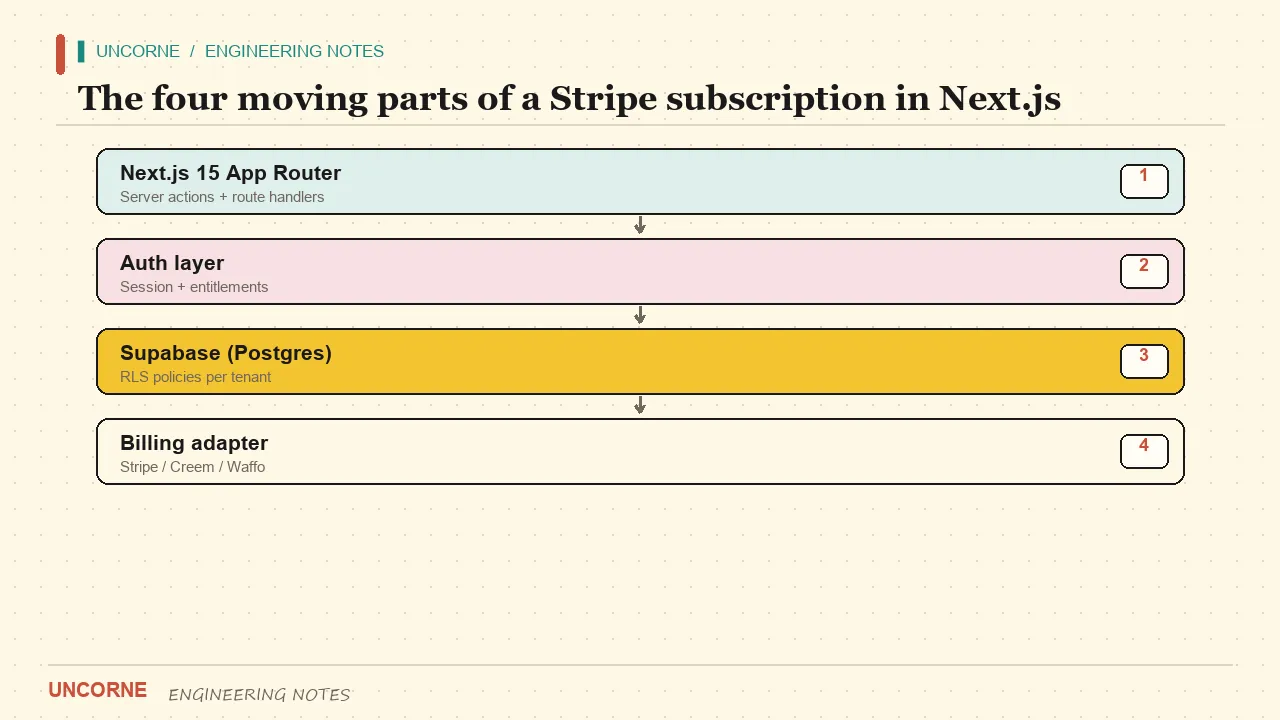
This is the shortest path to Stripe subscriptions in Next.js that will not break in production. Four moving parts, no fluff — plus the verification details most guides leave out.
Subscription integrations rarely fail on the happy path. A customer clicks subscribe, a Checkout Session is created, a webhook fires, and a flag flips in the database. That works in every tutorial. What fails is everything around it: a forged webhook accepted with 200, a retried event applied twice, a plan that never flips back after cancellation, or a secret key accidentally shipped to the browser. This guide covers the whole loop, including the failures.
Prerequisites
You need three things before writing code:
- A Next.js 15 project using the App Router. If you are starting fresh, the App Router documentation is the reference.
- A Stripe account in test mode, with your secret key and a webhook signing secret.
- A users table with a
plancolumn, or a separate subscriptions table, that your server can write to.
Set the environment variables once and keep test and live credentials in separate environments:
STRIPE_SECRET_KEY=sk_test_...
STRIPE_WEBHOOK_SECRET=whsec_...
STRIPE_PRICE_ID_PRO=price_...
NEXT_PUBLIC_APP_URL=http://localhost:3000
Never prefix a Stripe secret with NEXT_PUBLIC_. Anything with that prefix is embedded in the browser bundle and is public by definition. A secret key in the client is not a shortcut; it is a published credential.
Step 1: Create the product and price
In the Stripe Dashboard, create a Product with a recurring Price — for example Pro at 12 USD per month. Copy the Price ID into STRIPE_PRICE_ID_PRO. Never hard-code it in source. Price IDs differ between test and live mode, so a hard-coded test price is a silent production bug: checkout looks fine but the amount or currency is wrong.
Keep a short mapping from your own plan names to price IDs, so regional or tiered pricing is a data change rather than a code change. Model plans as data, not as branches in code. A PLANS object with id, priceId and entitlements lets the feature gate check a capability such as canExport or seats instead of a plan name, so renaming a tier does not touch every route. It also makes annual billing easy: add a second price ID to the same plan and let the checkout route choose it from a validated request.
Step 2: Install and configure the SDK
Install the official server SDK with npm install stripe. Instantiate one client at module scope so setup happens once:
import Stripe from "stripe";

export const stripe = new Stripe(process.env.STRIPE_SECRET_KEY!, {
  apiVersion: "2025-02-24.acacia",
});
Pin the API version in code rather than letting it float. When Stripe ships a new version, you want to read the changelog and opt in deliberately, not discover a behaviour change in your invoices.
Step 3: The checkout route
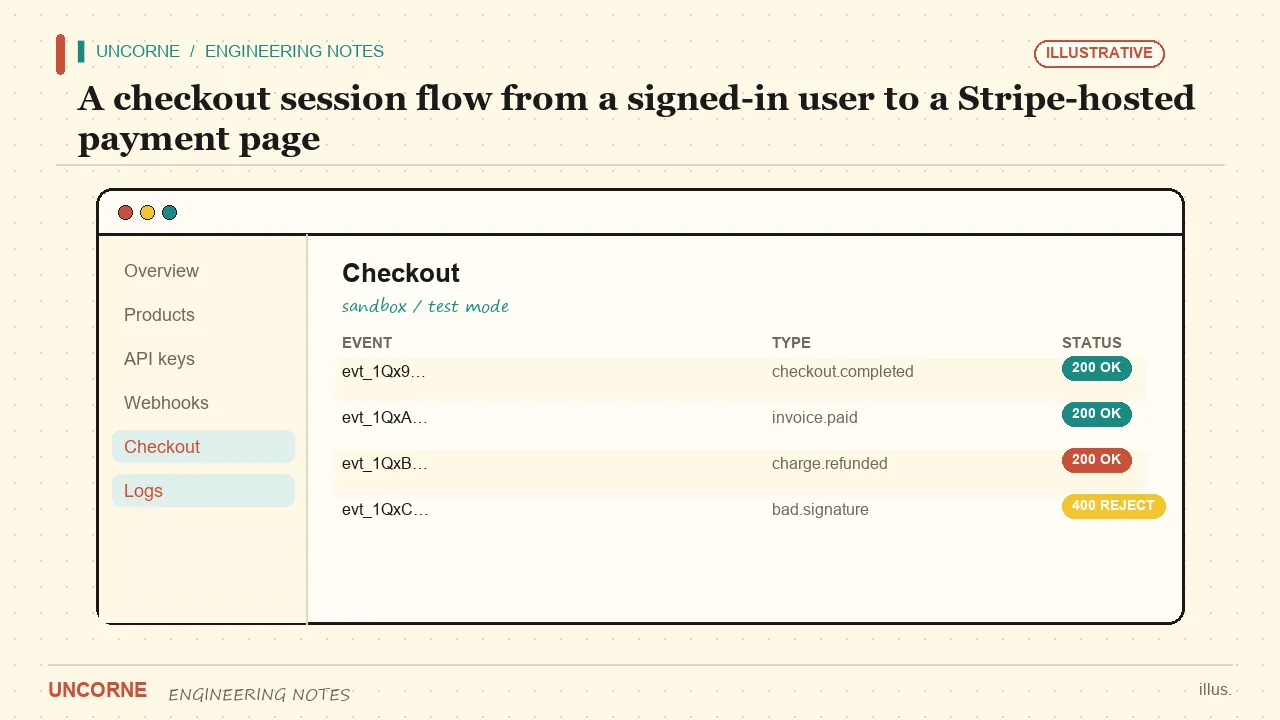
A POST /api/checkout route reads the requested plan, resolves the price ID, and creates a Checkout Session with mode: "subscription", a client_reference_id for your user, and explicit success_url and cancel_url. Return the hosted URL to the browser. Do not build your own payment form until you have a concrete reason to.
Require a signed-in user before creating the session. Guest checkout leaves no one to grant the entitlement to: the webhook grants access by user id or payment email, and if neither matches an account, the licence has no owner. Read the session from cookies in the route handler, not from a client-supplied user id.
export async function POST(req: Request) {
  const user = await getSessionUser();           // server-side, from cookies
  if (!user) return Response.json({ error: "unauthorized" }, { status: 401 });

  const { plan } = await req.json();
  const priceId = PLANS[plan]?.priceId;          // from env, never from the client
  if (!priceId) return Response.json({ error: "bad plan" }, { status: 400 });

  const session = await stripe.checkout.sessions.create({
    mode: "subscription",
    line_items: [{ price: priceId, quantity: 1 }],
    client_reference_id: user.id,
    customer_email: user.email,
    success_url: `${APP_URL}/billing?status=success`,
    cancel_url: `${APP_URL}/billing?status=cancel`,
  });

  return Response.json({ url: session.url });
}
Two details matter. The price comes from your environment, never from the request body — otherwise a client can pick your enterprise price for a dollar. And both URLs are explicit; relying on a default sends users to a Stripe-owned page after payment. The complete set of session options is in the Checkout Sessions API reference.
Step 4: The webhook is the source of truth
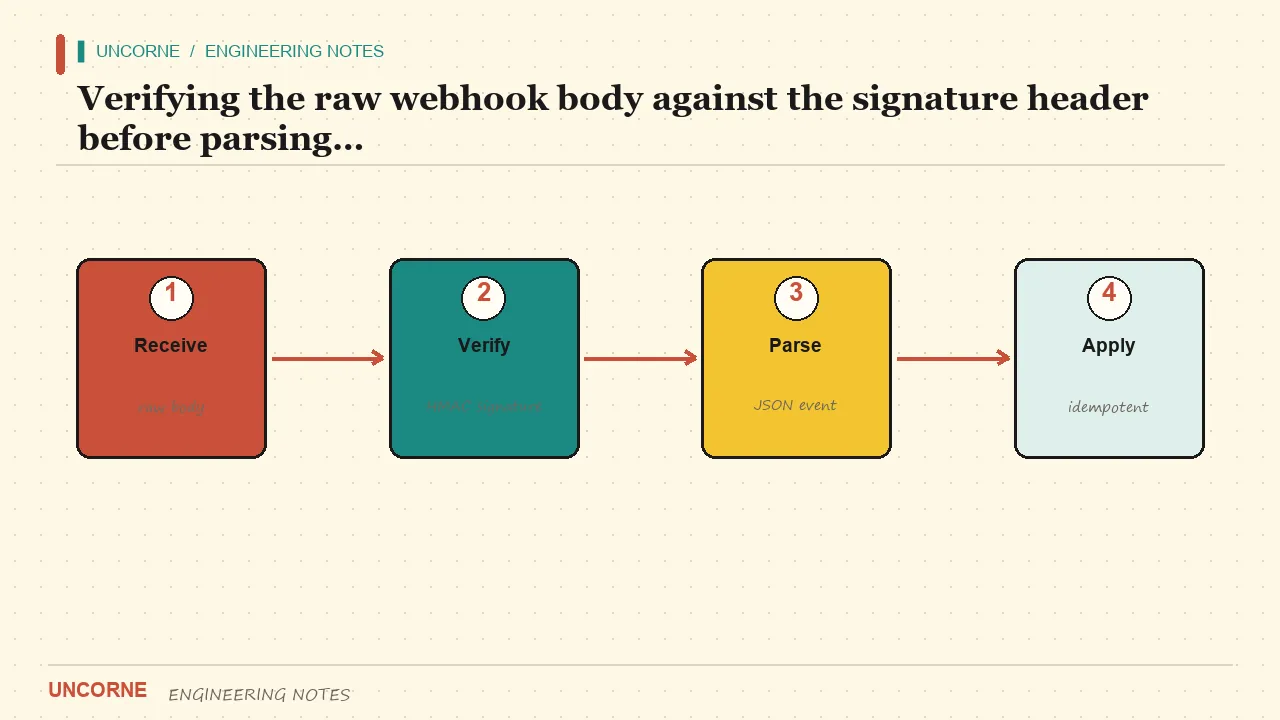
The browser is untrusted. A client claiming "payment succeeded" proves nothing. The webhook, signed by Stripe, is the authoritative signal. Verify the raw body against the Stripe-Signature header before parsing JSON:
export async function POST(req: Request) {
  const sig = req.headers.get("stripe-signature");
  if (!sig) return new Response("missing signature", { status: 400 });

  let event: Stripe.Event;
  try {
    event = stripe.webhooks.constructEvent(
      await req.text(),                  // exact raw bytes
      sig,
      process.env.STRIPE_WEBHOOK_SECRET!
    );
  } catch {
    return new Response("invalid signature", { status: 400 });
  }

  if (await alreadyProcessed(event.id)) return new Response(null, { status: 200 });
  await markProcessed(event.id);

  switch (event.type) {
    case "checkout.session.completed":
      await grantPlan(event.data.object.client_reference_id, "pro");
      break;
    case "customer.subscription.deleted":
      await revokePlan(event.data.object.metadata.userId);
      break;
  }
  return new Response(null, { status: 200 });
}
Parsing first and re-serialising changes the bytes, which breaks HMAC verification. Verification failure — missing header, bad HMAC, malformed JSON — must throw and produce HTTP 400. Acknowledging a forged request with 200 is a security bug, not a harmless no-op. The signature scheme is explained in webhook signature verification, and the full catalogue lives under webhook event types.
An ignored event is different from a failed one. A validly signed event you do not handle should be recorded and answered 200 with an "ignored" flag. Never use 200-ignored for verification failures.
Step 5: Make the webhook idempotent
Stripe retries webhooks. Without replay protection, one payment becomes two upgrades and a cancellation becomes a phantom refund. Record processed event ids in a table with a unique constraint on event_id, and insert before applying the effect:
create table processed_events (
  event_id text primary key,
  received_at timestamptz not null default now()
);
The insert itself is the lock: if a concurrent retry uses the same id, the primary-key conflict tells you to skip. Do check-and-mark in one atomic step rather than a read followed by a write, which leaves a race window. Attach userId to the subscription metadata when you create the session so the cancellation event can find the right account without an email lookup.
One thing worth checking in any starter before you commit: does it handle the cancellation webhook at all? Many templates handle only checkout.session.completed and forget customer.subscription.deleted, so customers keep access forever after cancelling. Search the code for both event types. If only one is present, add the other before you take the first payment.
Step 6: The feature gate
On every protected route or server action, read the plan from the database — never from client state, and never from a cookie you set after checkout. If the plan is inactive, return 402. Your AI endpoint, ZIP download and seat limits all hang off this one check:
export async function requirePro() {
  const user = await getSessionUser();
  if (!user) throw new HttpError(401);
  const { data } = await supabase
    .from("profiles")
    .select("plan")
    .eq("id", user.id)
    .single();
  if (data?.plan !== "pro") throw new HttpError(402, "Upgrade required");
}
A client-side check that hides a button is UX, not security. The server check is the one that counts. If you do this inside a Server Action rather than a route handler, the same rule applies; the Server Actions documentation shows how to keep the mutation on the server.
Step 7: Let customers manage and cancel
A customer portal removes a support ticket from every cancellation. Create a Billing Portal session server-side and redirect the user to it. The portal handles card updates, plan changes and cancellation, and Stripe emits the matching webhooks, so your database stays in sync without extra code. This is also where proration for mid-cycle upgrades is computed for you — do not try to calculate it yourself from timestamps.
Step 8: Test the whole loop
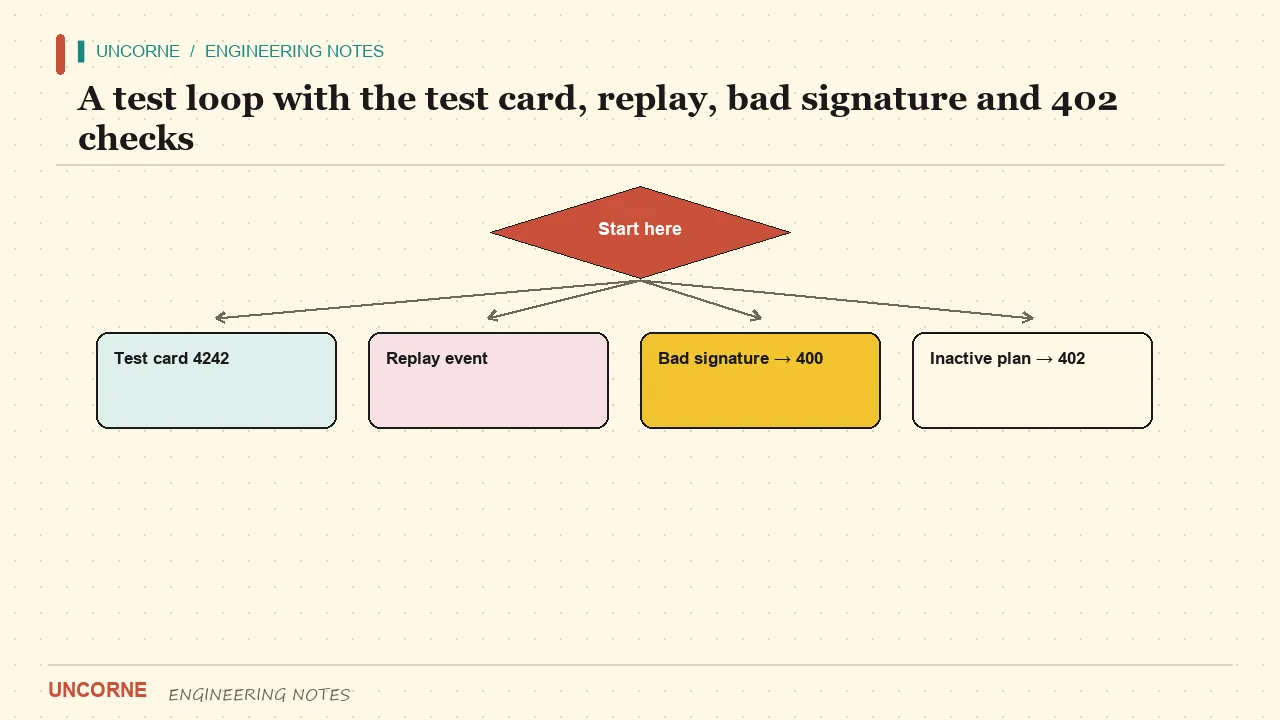
Use test mode and the card 4242 4242 4242 4242 with any future expiry and CVC:
- Complete checkout; confirm the plan flips in the database.
- Cancel in the portal; confirm it flips back.
- Replay a captured
checkout.session.completedevent; confirm it is applied once. - Send a webhook with a corrupted signature; confirm 400, not 200.
- Call a pro endpoint as a free user; confirm 402.
For local delivery, forward Stripe events with the Stripe CLI (stripe listen --forward-to localhost:3000/api/webhooks) and copy the printed signing secret into STRIPE_WEBHOOK_SECRET. Testing against a deployed Preview URL with its own webhook endpoint and secret is cleaner if your CI already deploys Previews.
If the loop works with one env file, your billing is real. If any step needs a manual database edit to "finish", it is not finished.
Common failure modes
| Symptom | Likely cause | Fix | | --- | --- | --- | | 400 on every webhook | Wrong signing secret, or body parsed before verification | Use the raw body and the secret from the matching endpoint | | Plan never flips | Event handled but client_reference_id empty | Require login before creating the session | | Plan flips twice | No idempotency on event ids | Unique event_id table, atomic insert before effect | | Checkout works locally, not in production | Test key or test Price ID in production env | Separate test and live env, validate keys at boot | | Gate passes for free users | Client state used as source of truth | Read plan from the database on every request |
Where a boilerplate helps
A good boilerplate hands you steps 3–6 already wired and keeps them behind a provider-agnostic interface. That matters the moment you add Creem, PayPal, Waffo or Lemon Squeezy for a new region: you write a new adapter instead of rewriting checkout and webhook logic across the app. Uncorne ships five provider adapters behind one checkout and webhook contract, with the Stripe path above as the reference implementation.
The verification rules do not change with the provider. Verify the signature on raw bytes, deduplicate event ids, write from the server only, and keep the feature gate on the server. Learn them with Stripe first; they transfer directly. The deeper architecture reasoning is in how to build a SaaS with Next.js.
The honest summary
Stripe subscriptions in Next.js are four moving parts: a product and price in the dashboard, a checkout route that requires a signed-in user, a webhook that verifies before parsing and deduplicates before writing, and a server-side plan gate. Get those four right and the happy path becomes almost boring — exactly what you want from billing. Everything else, from regional pricing to a second gateway, is an adapter on top of this loop.
FAQ
Should I parse the webhook body before verifying it?+
No. Verify the exact raw bytes against the Stripe-Signature header first, then parse. Parsing first and re-serialising changes the bytes and breaks HMAC verification, which should return 400.
Why does guest checkout break entitlement?+
The webhook grants access by user id or payment email. If nobody is signed in and the payment email does not match an account, the licence has no owner. Require login before creating the Checkout Session.
What does an ignored webhook response mean?+
A 200 with an ignored flag means the event was validly signed but is not one you handle. It must never be used for verification failures, which are 400. Record ignored events so they are distinguishable from failures.
How do I stop a retried webhook from upgrading a user twice?+
Store processed event ids with a unique constraint on event_id and atomically insert the id before applying the effect. If a retry arrives, the primary-key conflict tells you to skip. A read-then-write leaves a race window.
Should I use Stripe Checkout or the embedded payment element?+
Start with hosted Checkout: it is the shortest path to subscriptions and Stripe hosts the payment UI. Move to the embedded element only when you need to control the payment experience inside your own page. The webhook logic is identical either way.
All frequently asked questions · Markdown version (for AI agents)