Build a SaaS with Next.js in 2026: Step by Step

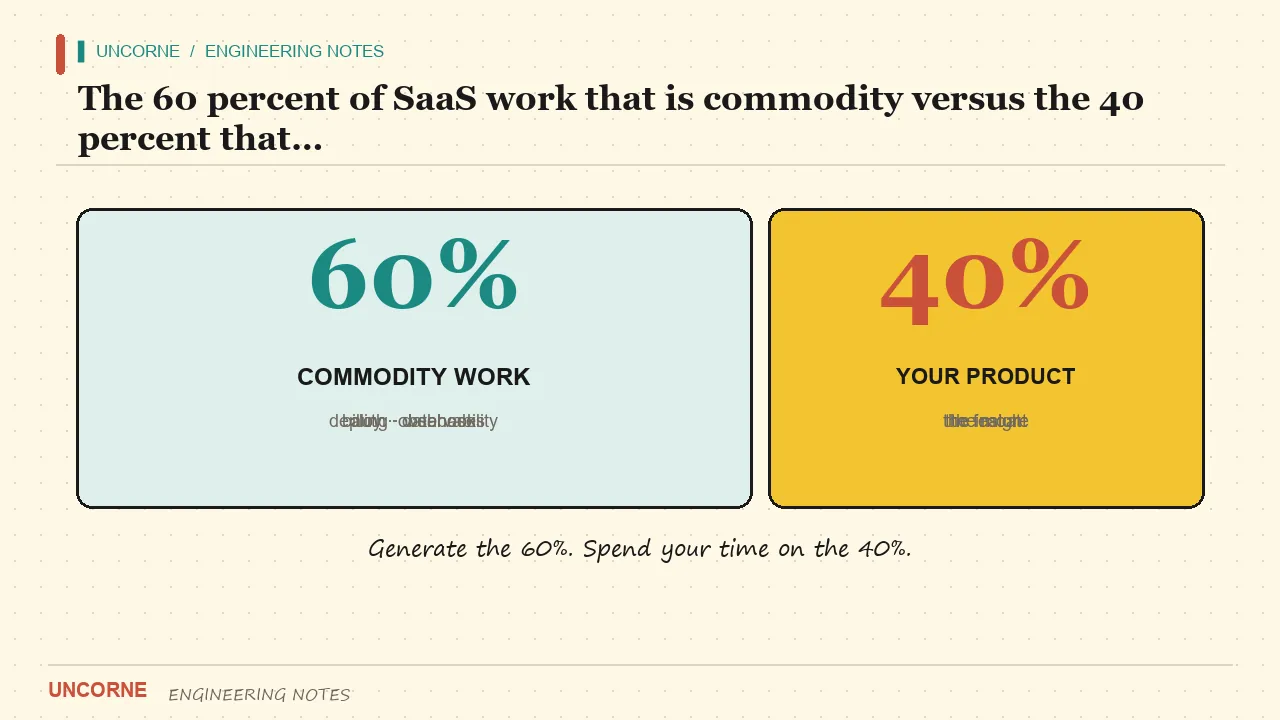
Building a SaaS in 2026 still means solving the same 60% of commodity problems every founder hits: sign-up, a database, billing, and a signed-in area. The difference between founders who ship and founders who stall is rarely the idea. It is how fast they stop rebuilding that 60% and start spending their week on the part only they can build.
This guide is the sequence I would follow today, from an empty repo to a deployed, billable app, with the specific decisions that save the most time called out. It is opinionated about Next.js and Supabase because that combination removes more decisions than it adds, but the underlying order of operations applies to any stack.
Why the commodity 60% decides who ships
Every SaaS, from a one-person newsletter tool to a team analytics product, needs the same backbone before a single customer can pay:
- Authentication that supports email magic links and OAuth, with sessions that rotate and can be revoked.
- A database with row-level security so one tenant never reads another tenant's rows, even if application code has a bug.
- Subscription billing with a webhook that treats the provider, not the browser, as the source of truth.
- A dashboard behind a login, plus a settings page where billing and profile meet.
- A deployment story: environment variables, migrations, Preview deploys, and a domain.
None of these are your differentiator. A customer does not choose your product because you implemented magic-link login particularly elegantly. They choose it because the 40% — the specific job you do — is better than the alternative. Yet in practice, the commodity 60% consumes the first three to six weeks of most solo projects, and a surprising number never get past it.
The strategic move is to pay that toll once, with infrastructure you can read and change, then never think about it again. "Read and change" matters: a black-box starter that you cannot debug at 2 a.m. is worse than writing auth yourself, because it fails exactly when you are least able to fix it.
Pick a stack that already has the backbone
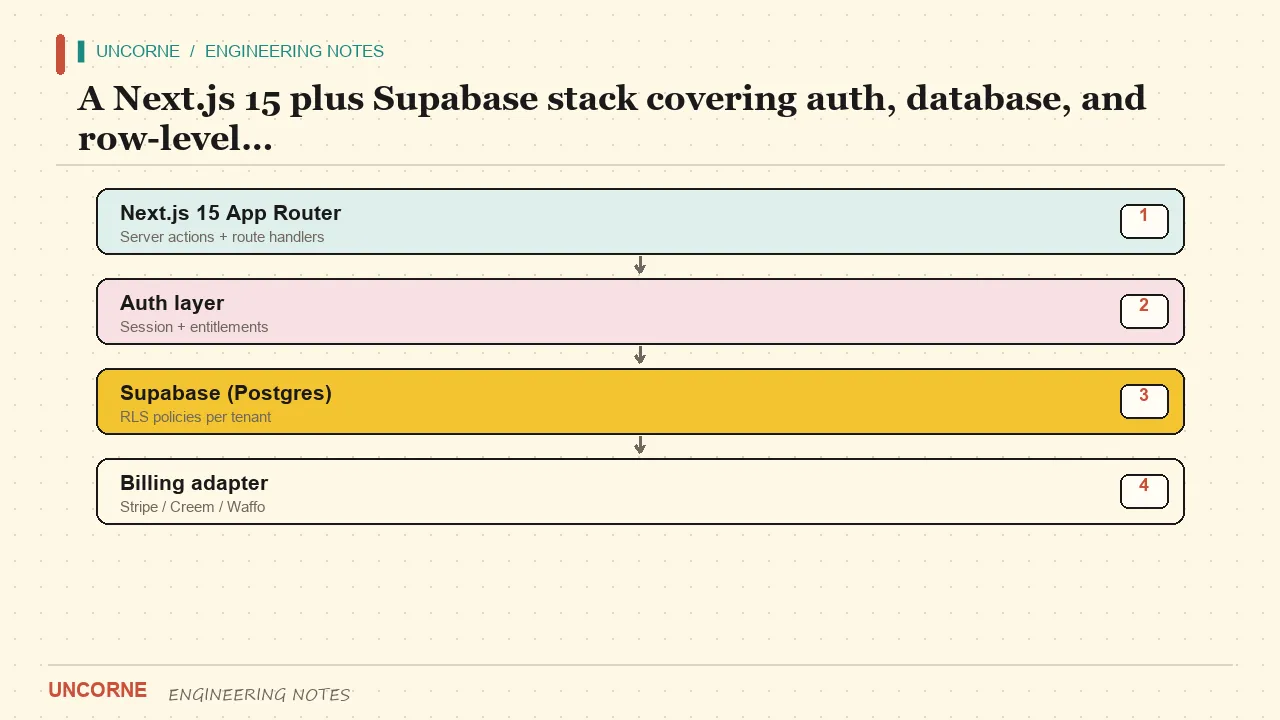
Next.js 15 with the App Router, TypeScript, and Tailwind is the default for a reason. The Next.js App Router documentation covers server components, server actions, and streaming in one framework, the hiring pool is large, and almost every tutorial you will find assumes this stack. Fighting that consensus buys you nothing.
For the database and auth, pair it with Supabase, which gives you Postgres, email and OAuth auth, storage, and — critically — row-level security as a first-class feature. RLS is the piece people skip, then regret. Defining tenant isolation in the database means a forgotten where userId = ? in application code cannot leak data across accounts.
A minimal, honest folder layout looks like this:
app/
  (marketing)/page.tsx        # public landing page
  (app)/dashboard/page.tsx    # authenticated area
  api/
    checkout/route.ts         # creates a billing session
    webhooks/route.ts         # verifies and applies provider events
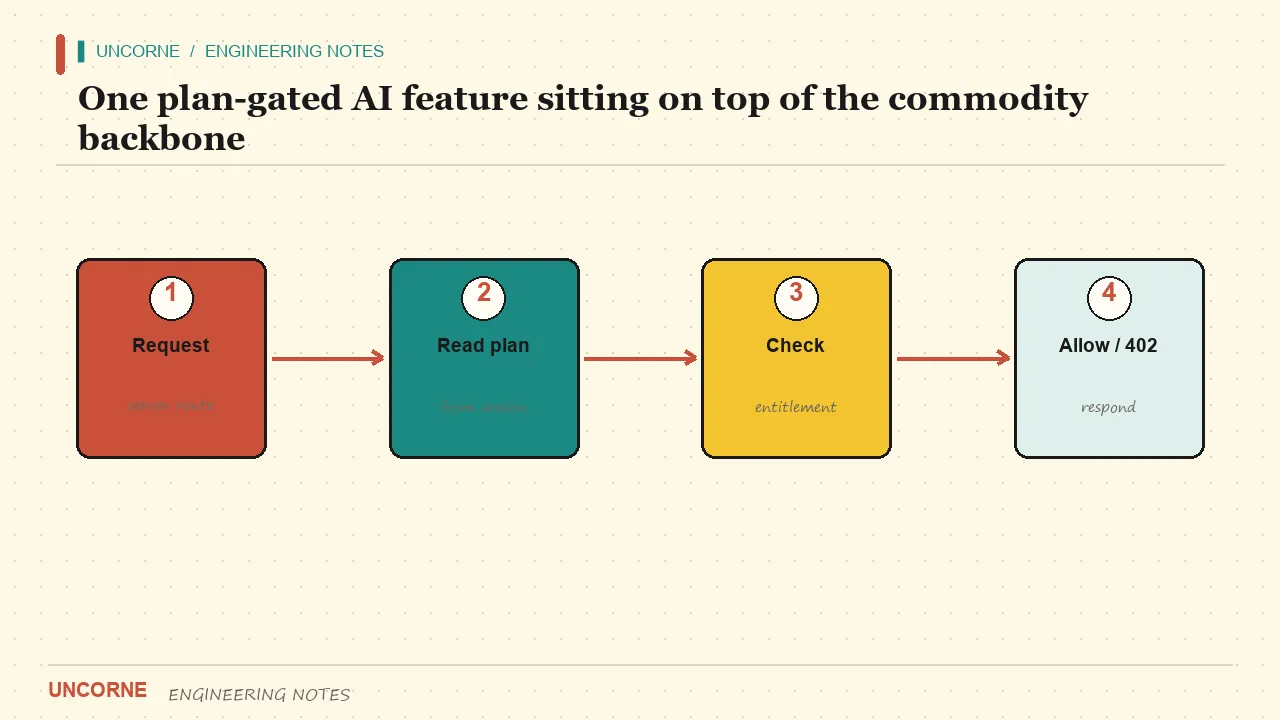
    ai/chat/route.ts          # your one real feature, plan-gated
lib/
  auth.ts                     # session helpers
  db.ts                       # Supabase client + RLS-aware queries
  billing/
    types.ts                  # provider-agnostic interface
    stripe.ts                 # one adapter
components/
supabase/migrations/          # schema + RLS policies, versioned
Two rules follow from this layout. First, anything that mutates money or permissions lives in the server, never in a client component. Second, migrations are in version control; the database schema is code, not something you clicked together in a dashboard and forgot.
Decide the billing architecture on day one
Billing is the decision that is cheapest to make early and most expensive to reverse late. There are two questions to answer.
The first is whether you want to be the merchant of record. If you sell globally without a company entity in every market, a Merchant of Record such as Waffo Pancake or Lemon Squeezy collects and remits sales tax and VAT for you. That is a real operational saving, not a marketing line. If you already have a Stripe account and a company, Stripe subscriptions gives you more control and lower fees at volume, but you own tax compliance.
The second question is whether your code is tied to one provider. A growing product often adds a second gateway for a new region or a better conversion rate. If checkout creation and webhook handling are scattered across six files, that migration is a rewrite. If both sit behind one narrow interface — createCheckoutSession(plan, user) and normaliseEvent(raw) — adding a provider is a new adapter, not a new architecture.
A practical comparison of the three ways to get this backbone:
| Approach | Upfront time | You control | Where it hurts | | --- | --- | --- | --- | | Build everything yourself | 3–6 weeks | Everything | Slow, and the commodity code still needs maintenance | | Buy a fixed starter | 1–2 days | Your app code only | Unselected modules bloat the bundle; brand removal is manual | | Generate from a config | An afternoon | Modules, gateway, AI providers, style | You must know your choices up front |
I lean toward generation when the choices are known. Uncorne's Builder selects auth, gateway, AI providers, features, deploy target, and visual style, and the server returns a ZIP containing only those modules. Eighteen representative combinations are downloaded and type-checked in CI, and the ZIP is brand-free: the marketing pages and the generator itself are removed, so what you ship is your product, not a reskinned template.
Treat configuration as a first-class artifact
The gap between a demo and a product is usually configuration discipline. Keep a single .env.example that lists every variable with a comment explaining where to get its value, and make the app fail fast at boot if a required key is missing. Silent fallbacks — a billing route that quietly uses a test key in production — are how subscriptions appear to work until the first real charge fails.
Separate test-mode and live-mode credentials explicitly. Use distinct Stripe test and live keys, distinct webhook secrets, and distinct database schemas for Preview deploys. A Preview deployment should never be able to email a real customer or move real money. If your stack makes that hard, add a guard now rather than after an incident.
Keep secrets out of the client bundle. In Next.js, only variables prefixed with NEXT_PUBLIC_ are exposed to the browser; everything else stays server-side. Reading a payment secret into a client component is not a shortcut, it is a credential leak. The cookies API is the right way to read session state in a server action or route handler, because it keeps the session token away from JavaScript that runs in the browser.
Add the one thing that is yours
The most common mistake at this stage is over-building the demo. Founders wire five AI endpoints, three dashboards, and a settings labyrinth, then run out of time before any of it is tested by a customer. The 40% that is yours is not "more features"; it is one feature that is noticeably better than the alternative.
Ship one real capability behind auth and a plan gate. Depending on your product that might be a streaming chat endpoint, document question-answering over a customer's own files, or a summariser. If you are doing retrieval, OpenAI's embeddings guide and Supabase's AI documentation cover the storage-and-search half in detail. Keep everything else as honest scaffolding with a clear TODO rather than a fake button.
An honest boundary is worth stating: a prototype is not a production AI system. Streaming errors, token quotas, provider rate limits, and prompt injection all need real handling before you charge for the feature. Being upfront about what is scaffolding and what is finished is not weakness — it is what lets you iterate with customers instead of defending a demo.
Test the boring paths, not just the happy path
A billing integration is finished when the failures are handled, not when the success flow works. Before launch, walk these paths: a webhook arrives with a bad signature and returns 400; the same event id arrives twice and is applied once; a subscription is cancelled and the plan flips back; a logged-out user hits the checkout route and is redirected to sign-in; the AI endpoint is called by a free user and returns 402. Each takes minutes to test and hours to debug if you discover it after a customer does.
The full verification loop — signature checks, replay protection, the whole thing — is in how to add Stripe subscriptions to Next.js. The point is not the Stripe specifics; it is that the boring paths are a checklist you run, not a feeling you have.
Make yourself easy to find and easy to hand to an agent
A working app that nobody discovers is still a failed launch. Two small investments in the first week pay out for months.
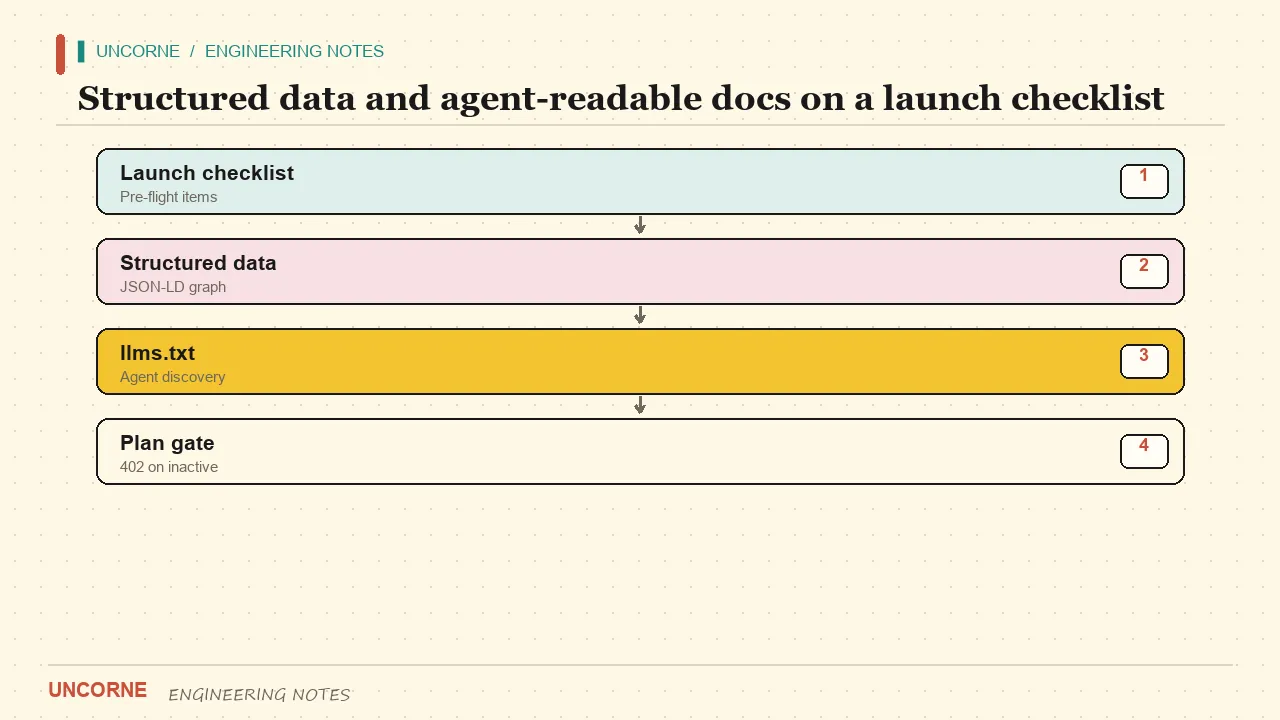
First, structured data. Emit BlogPosting and FAQPage JSON-LD on your content pages following the schema.org definitions and Google's structured-data guidance. FAQ answers in particular should stand alone as quotable paragraphs — answer engines quote the answer, not the question. If you publish in several languages, add hreflang and localized versions per Google's international guidance.
Second, agent-readable docs. Publish an llms.txt file following the llms.txt convention that points agents at your real documentation, and keep an AGENTS.md in the repo describing commands, architecture, and boundaries. These are cheap to write, and they increasingly determine whether an AI assistant can integrate with your product correctly on the first try.
Ship, then charge
The order matters. Start on a free or preview tier, wire a test checkout, and only ask for money once customers have received value. A generated app should take you from configuration to a deployed, billable system in an afternoon — not a quarter.
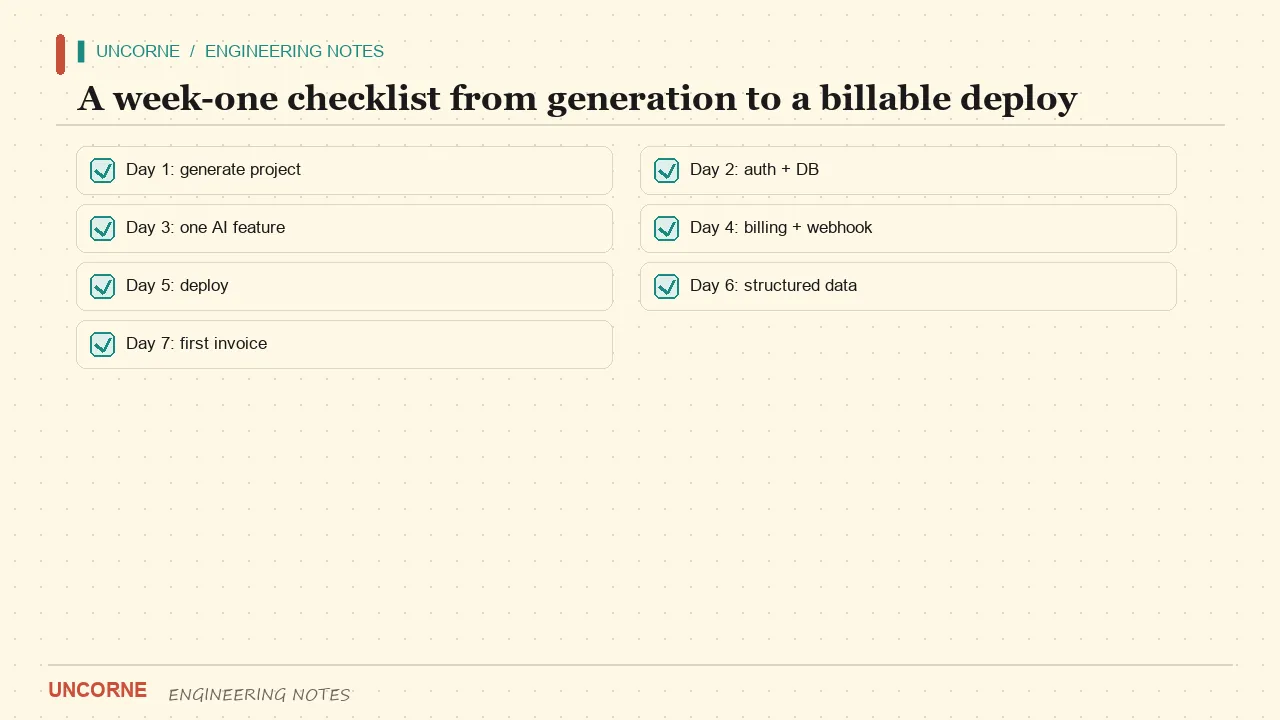
Concretely, week one looks like this:
- Configure and generate the project; commit it to a fresh repo.
- Set environment variables, run migrations, and confirm Preview deploys work.
- Sign in with a magic link and an OAuth provider; confirm RLS blocks cross-tenant reads.
- Run a test checkout in test mode and confirm the webhook flips the plan in the database.
- Ship the one real feature behind the plan gate to a handful of users.
- Ask for payment only after at least one user would be annoyed to lose access.
The honest summary
There is no shortcut around the 40% that makes your product yours. But the 60% — auth, database, billing, dashboard, deployment — is solved problem after solved problem, and the fastest founders treat it as a tollbooth rather than a construction site. Choose a stack with a deep ecosystem, lock down tenant isolation in the database, keep billing behind a provider-agnostic interface, build exactly one real feature, and make your docs legible to both people and agents. Then ship, and let customers tell you what the second feature should be.
FAQ
How long does it take to build a SaaS with Next.js?+
The commodity backbone — auth, database, billing and dashboard — is what takes three to six weeks when built by hand. With a generated starter that part is an afternoon of configuration. The remaining time goes to your actual product, which no template can shorten.
Do I need Supabase to build a SaaS with Next.js?+
No. Supabase is a strong default for Postgres and row-level security, but Uncorne switches between Supabase and a local SQLite store depending on whether SUPABASE_SERVICE_ROLE_KEY is set. SQLite is for local development: the local auth path has no MFA, OAuth or session rotation, and does not persist on serverless.
Which payment gateway should I start with?+
If you sell globally without a company entity in every market, a Merchant of Record such as Waffo Pancake or Lemon Squeezy removes sales-tax handling. If you already have a Stripe account, start with Stripe. Keep checkout and webhooks behind one provider-agnostic contract so switching later is a config change, not a rewrite.
Should I build the boilerplate myself or generate it?+
Build it yourself only if the commodity layer is your differentiator, which it rarely is. Generation wins when you know your choices up front: it prunes unselected modules, ships a brand-free ZIP and type-checks representative combinations in CI. A fixed starter wins only when your needs are genuinely generic.
Do I need an AI feature on day one?+
No. Ship one real capability only when it solves a problem customers already pay for. A prototype is not a production AI system: streaming errors, token quotas, provider rate limits and prompt injection need real handling before you charge. Honest scaffolding with a clear TODO beats five half-wired AI endpoints.
All frequently asked questions · Markdown version (for AI agents)